How to read the services Choose the workflow you need to improve first.
Services are grouped by outcome: coordinate models, structure data, automate production, communicate visually, and maintain adoption.
BIM Delivery
Coordinate, model, and govern project information
For teams that need reliable models, clear coordination, and manageable delivery standards.
-
01
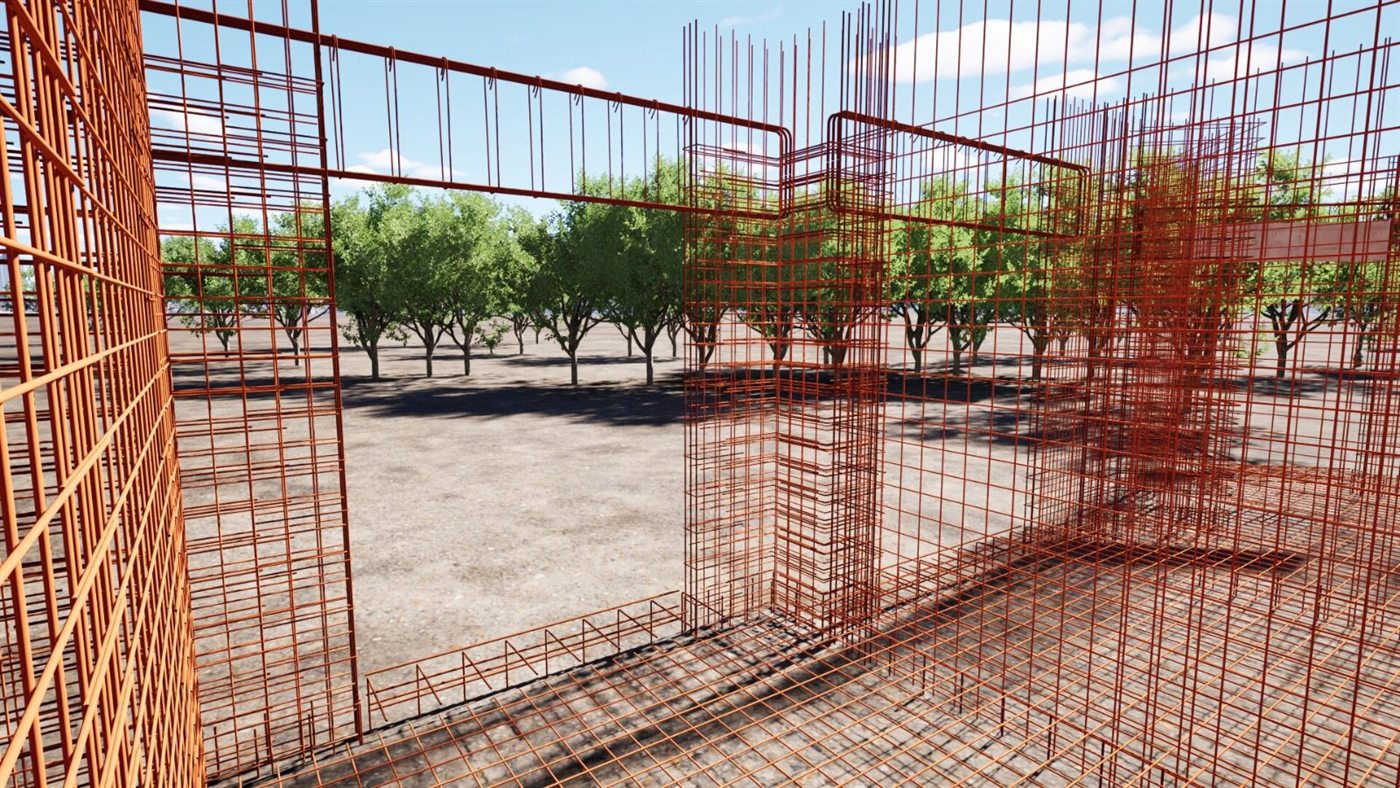
Detailed structural modeling
Reinforcement, details, and views prepared for review, quantities, and documentation.
RevitStructureShop drawings
-
02
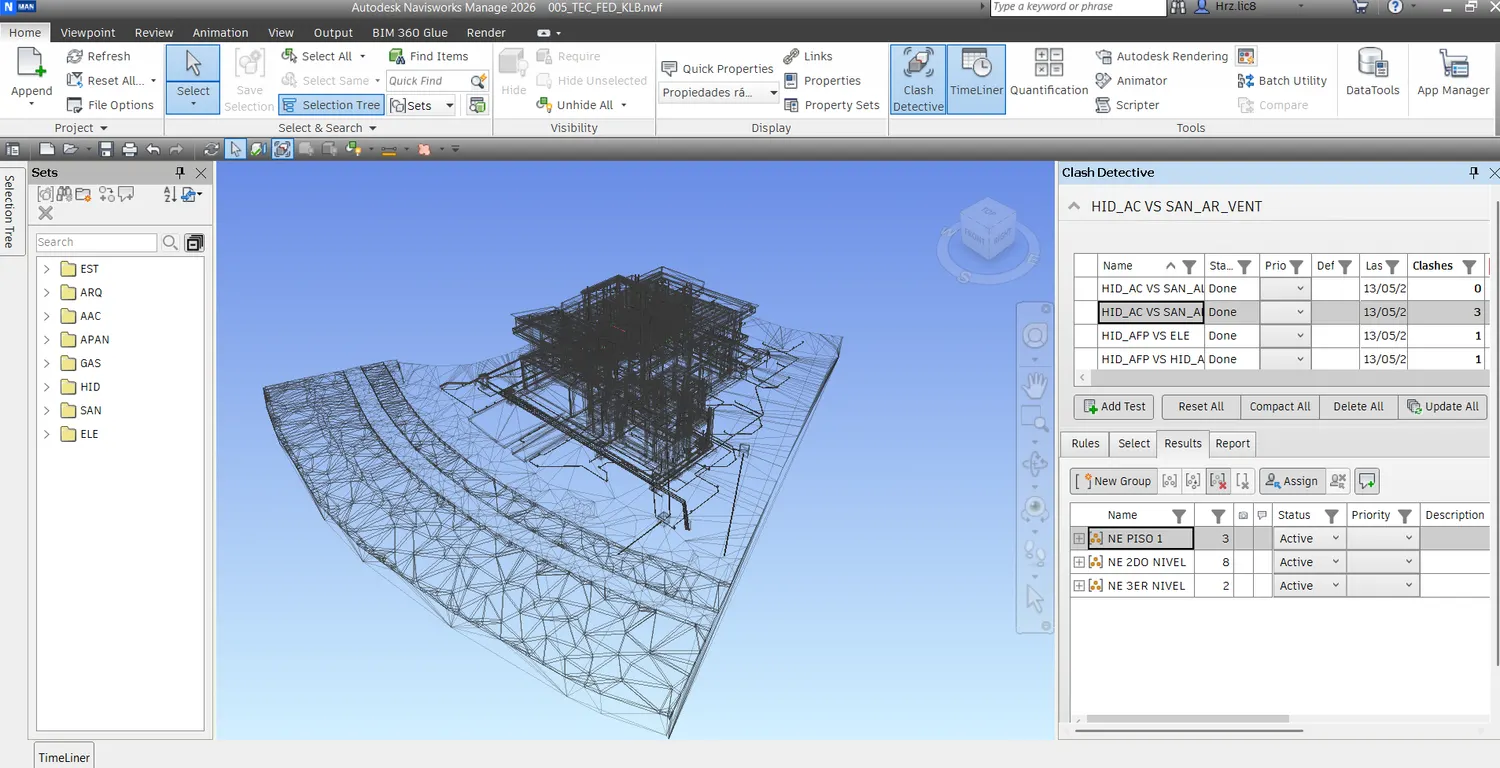
Federated coordination
Navisworks model context for interdisciplinary review and clash tracking.
NavisworksFederated modelReview
-
03
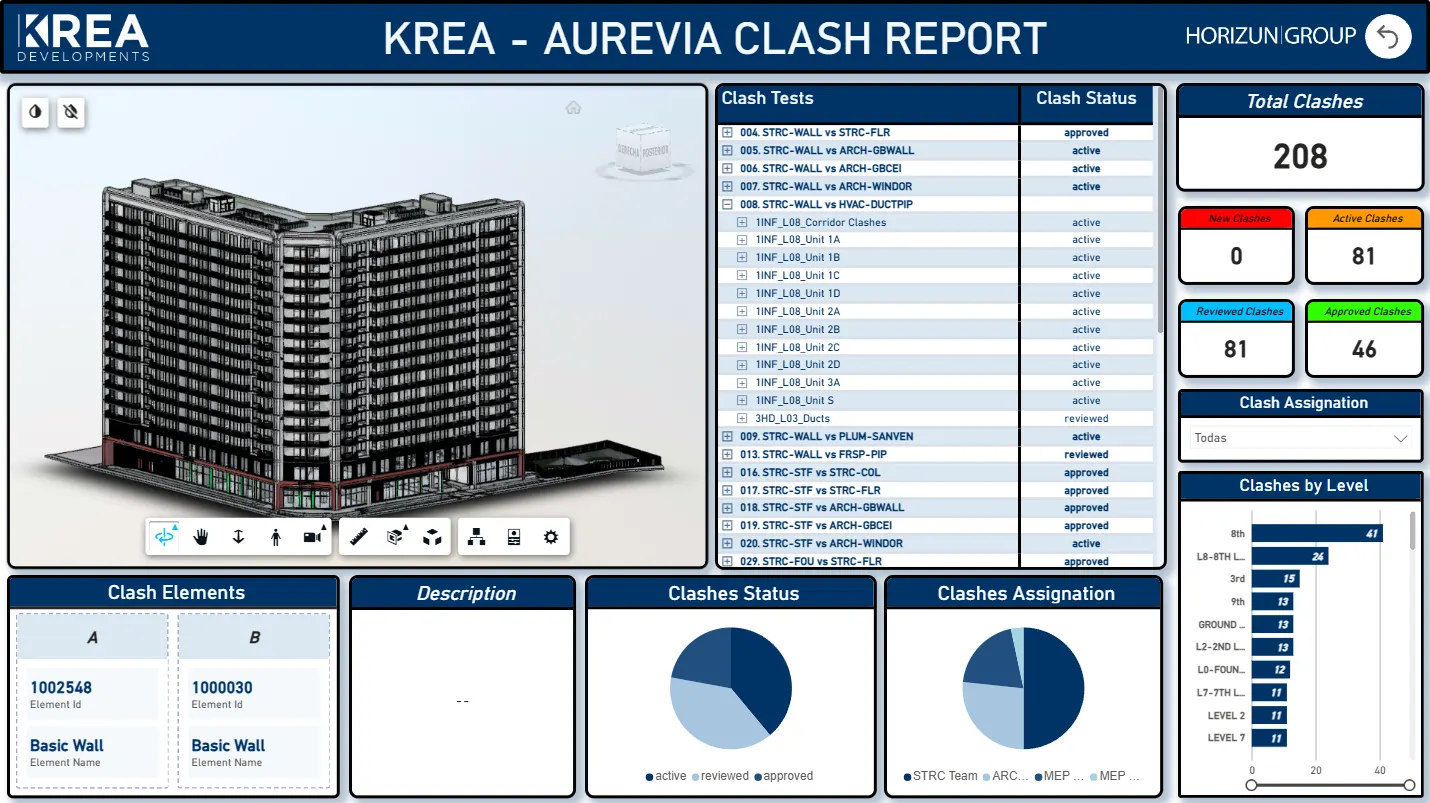
Clash report dashboard
Clash status, ownership, and model context for coordination follow-up.
ClashesStatusAssignments
-
04
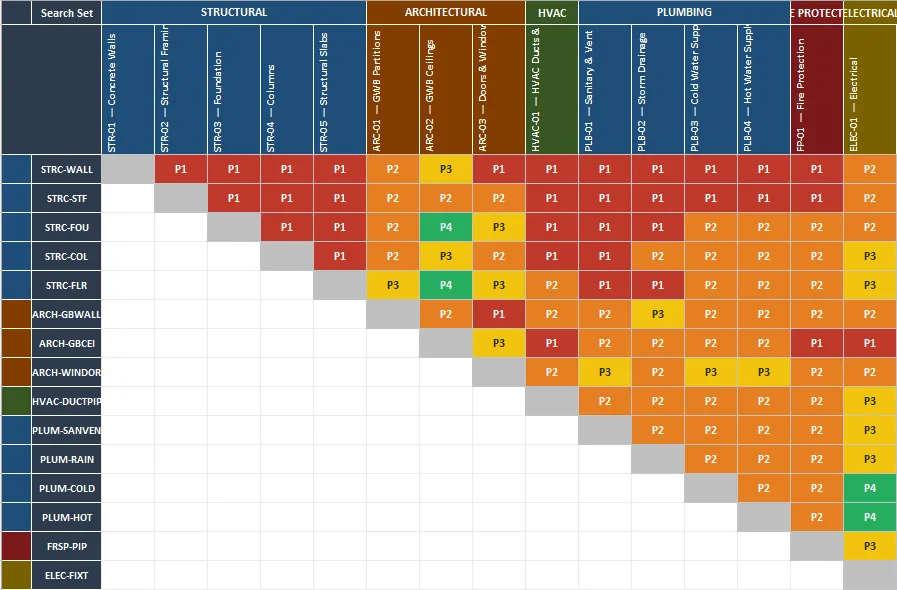
Issue matrix
Priorities, disciplines, and follow-up actions organized in a control matrix.
MatrixPriorityAction
Standards, execution plans, governance
Standardize responsibilities, requirements, and BIM delivery criteria.
Typical deliverables - BIM Execution Plans and model use strategy
- Information requirements and coordination protocols
View service Clash detection, issue workflows, constructability
Turn clashes into ownership, status, and coordination decisions.
Typical deliverables - Federated model coordination
- Clash detection and issue reports
View service Revit models for design, construction, and data
Produce organized Revit models for coordination, documentation, and data.
Typical deliverables - Architectural, structural, MEP, and civil model support
- LOD strategy aligned to project phase
View service Data and Project Controls
Turn project data into dashboards and operating rhythm
For owners, contractors, and PMOs that need visibility across quantities, progress, cost, and schedule.
-
01
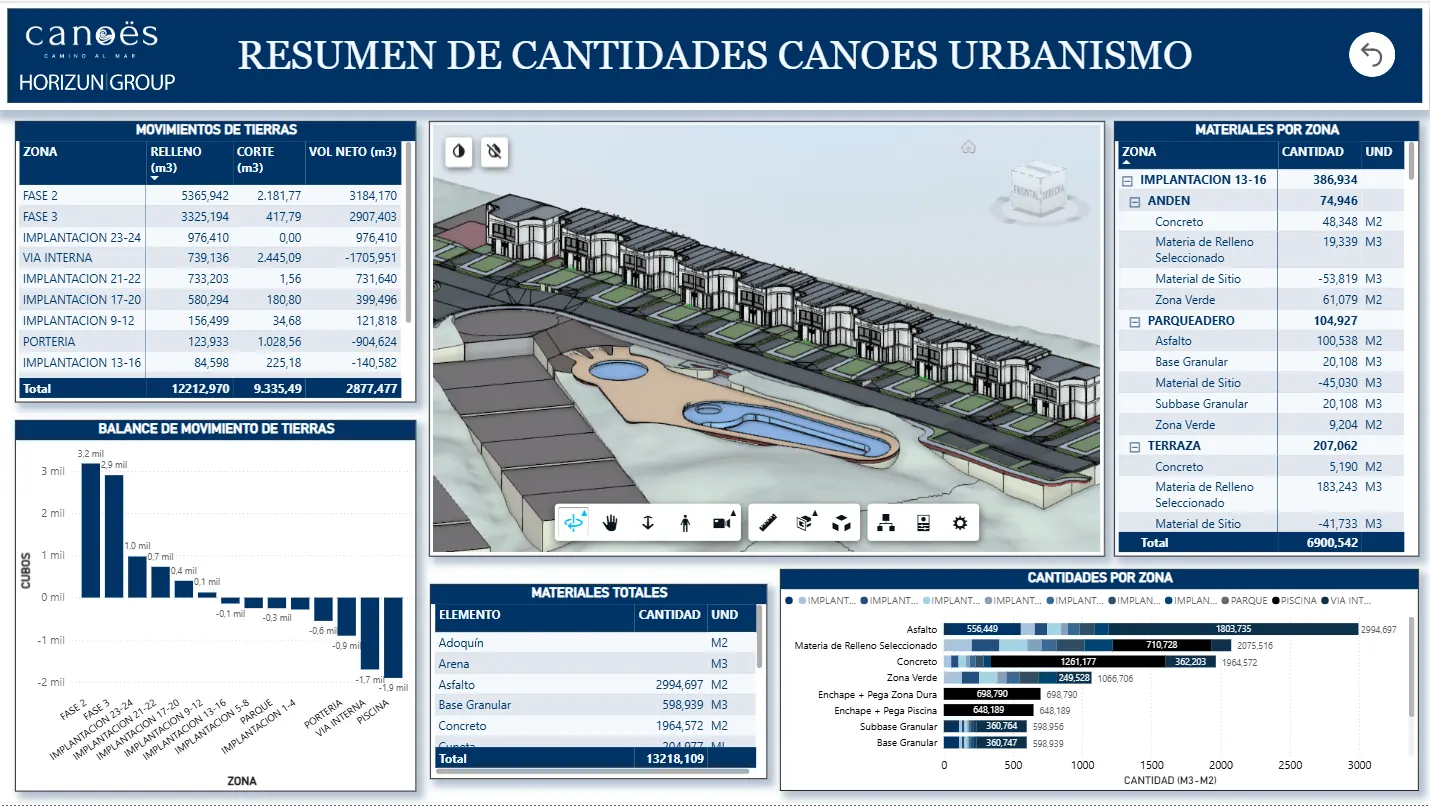
Urban quantities dashboard
Earthwork and material quantities organized by zone for project control.
Power BIQuantitiesUrbanism
-
02
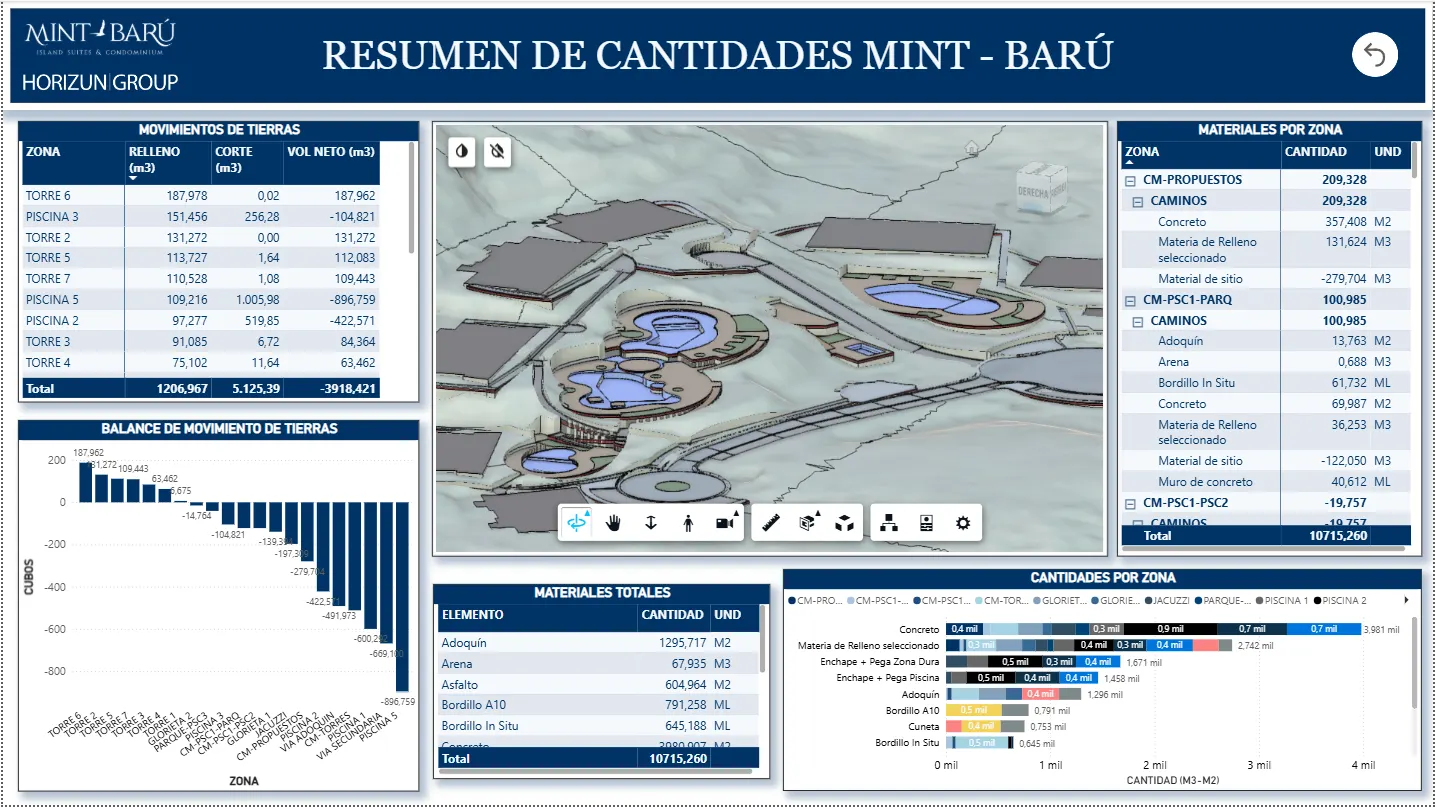
Site quantities dashboard
Site, earthwork, and material quantities presented with model context and totals.
QuantitiesMaterialsModel context
-
03
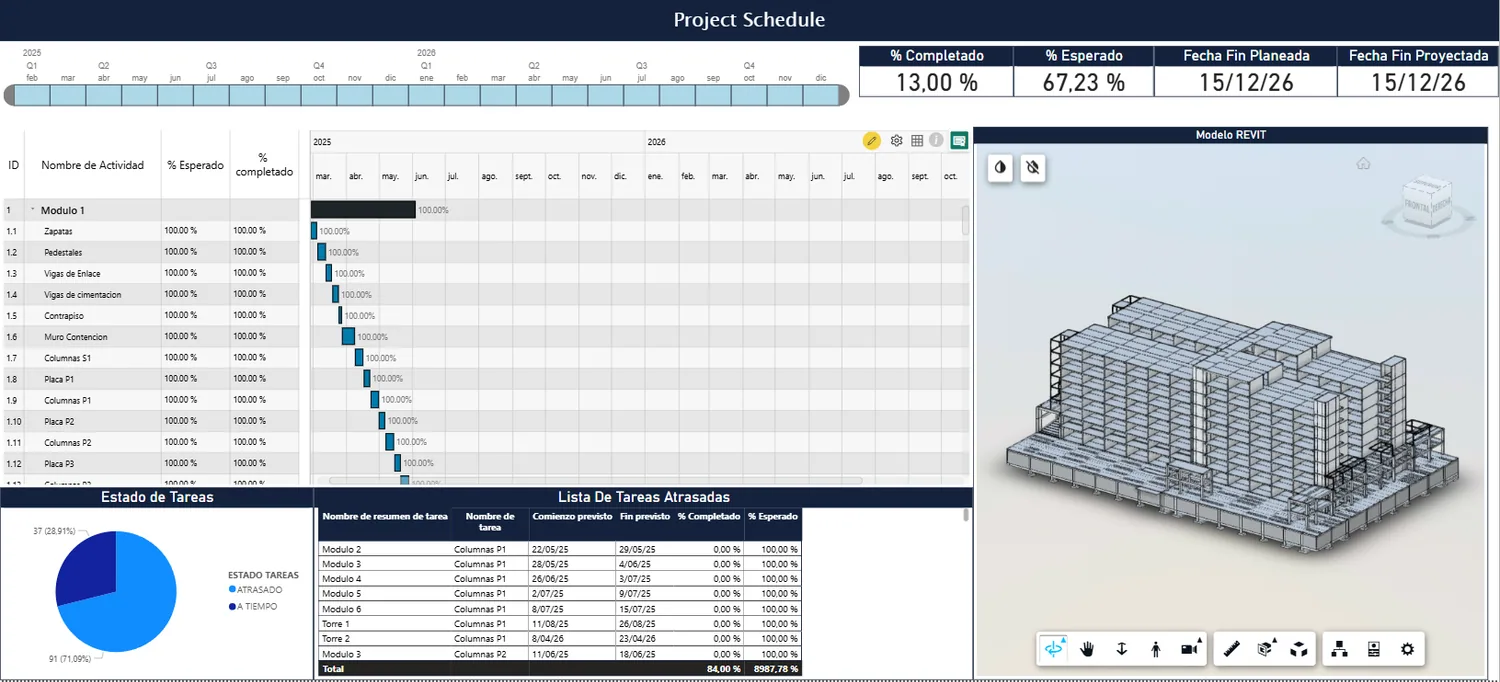
Schedule and 4D control
Schedule, model context, and progress indicators reviewed in one report.
Schedule4DProgress
-
04
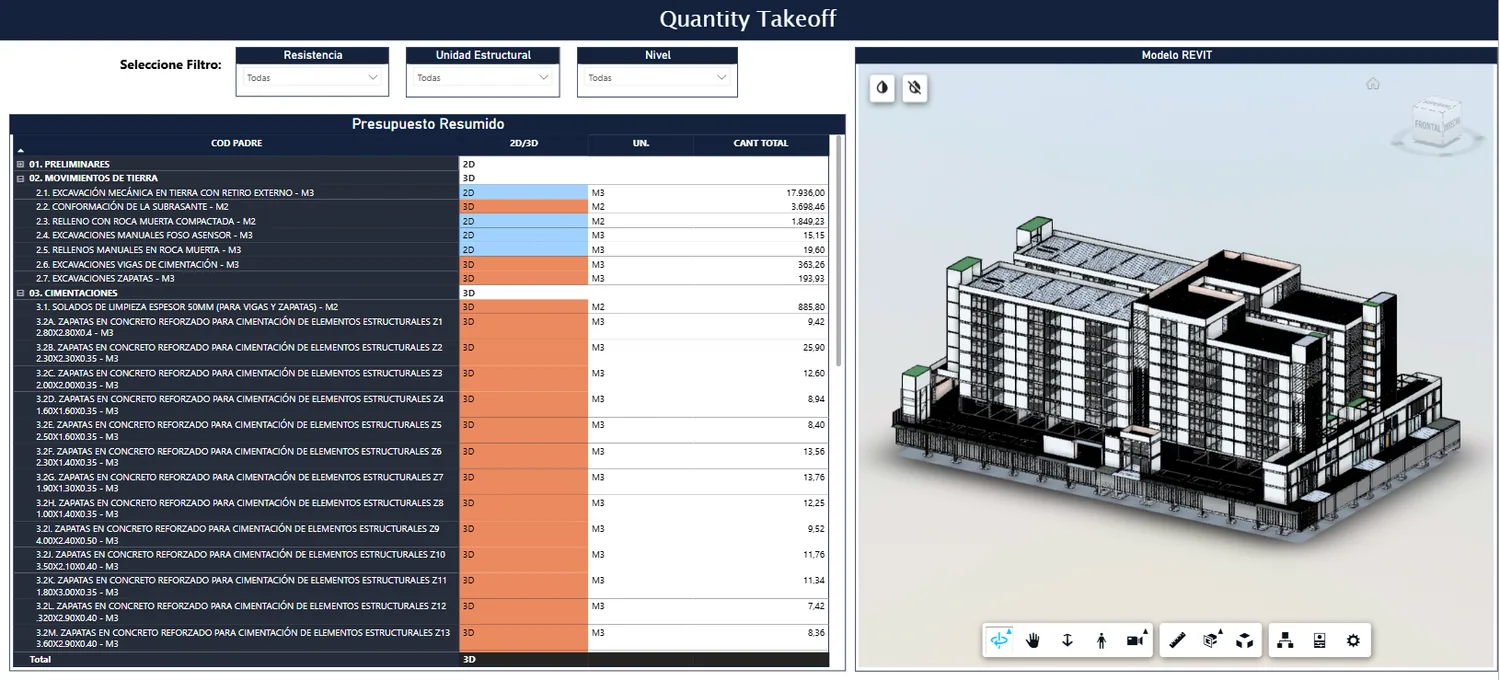
Quantity takeoff review
Model quantities and visual context used to validate reporting assumptions.
QTORevitPower BI
Dashboards for cost, schedule, progress, and BIM data
Connect quantities, progress, and schedule into control dashboards.
Typical deliverables - Construction progress dashboards
- Cost, quantity, and schedule reporting
View service Schedule, cost, progress, and decision visibility
Structure construction information for reporting and decisions.
Typical deliverables - Progress control workflows
- Schedule and cost reporting structures
View service Automation and AI
Reduce repeated technical work and pilot useful AI workflows
For BIM teams standardizing Revit production, data workflows, automation, and adoption.
-
01
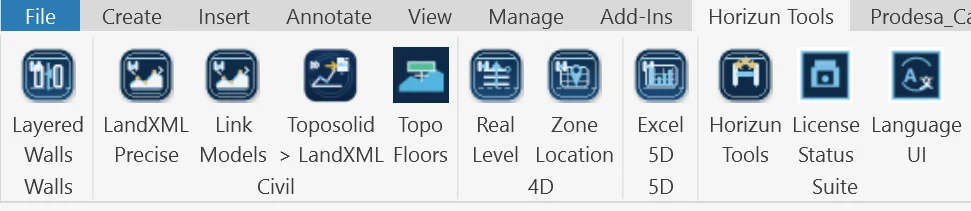
Custom Revit tools
Team commands packaged in Revit for repeatable production tasks.
RevitRibbonTools
-
02
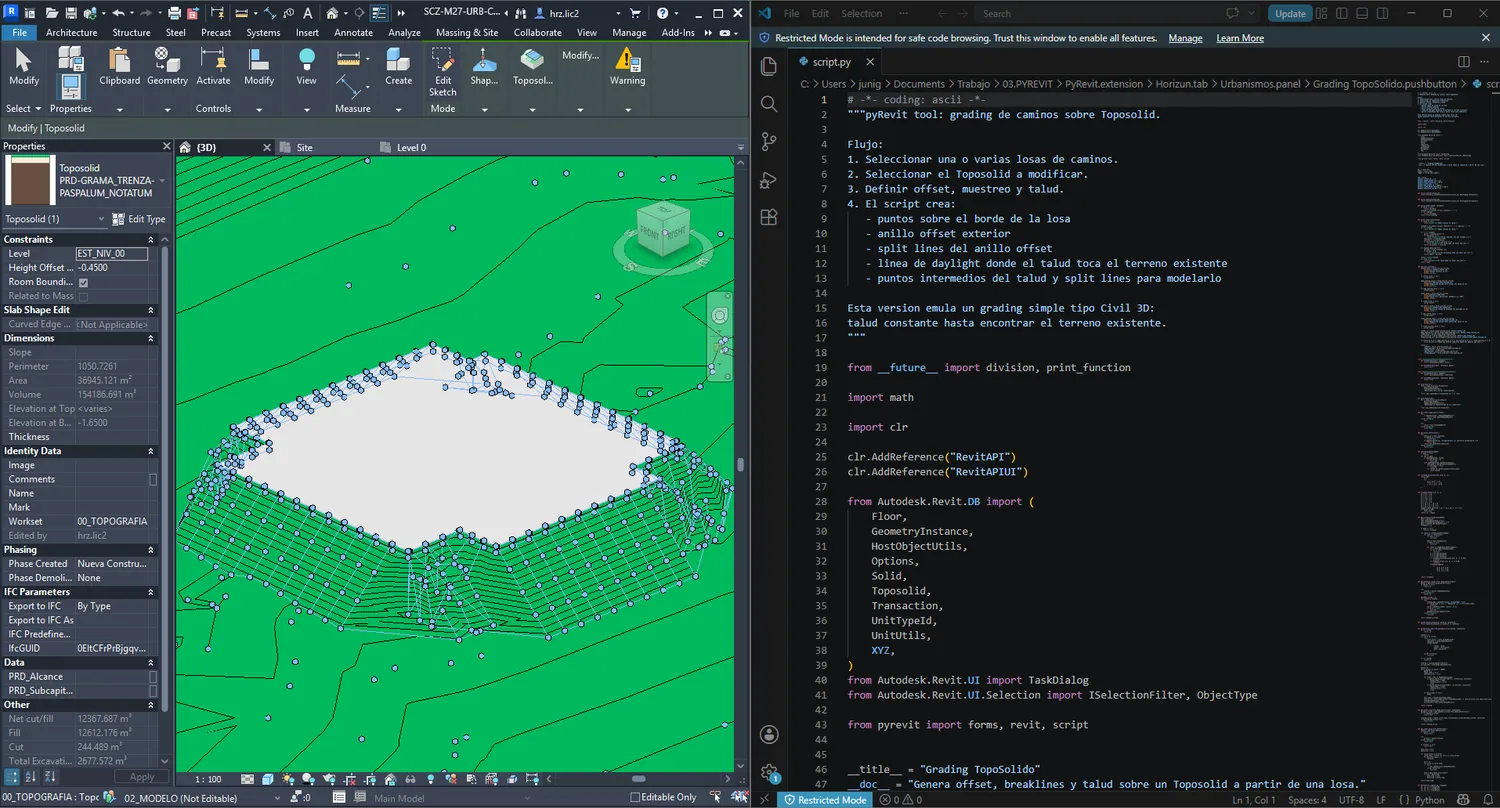
pyRevit grading automation
Scripted workflows for terrain, grading, and Revit production.
pyRevitPythonGrading
-
03
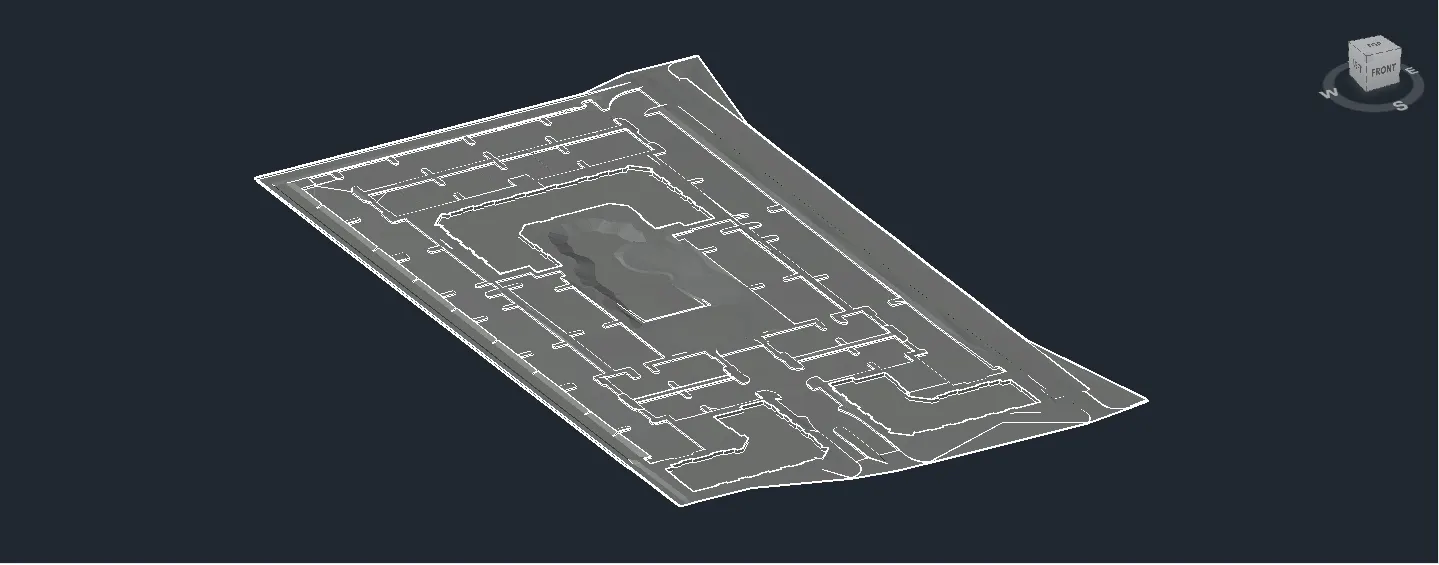
Civil 3D grading workflow
Terrain and grading information prepared for review, quantities, and downstream control.
Civil 3DTerrainQuantities
-
04
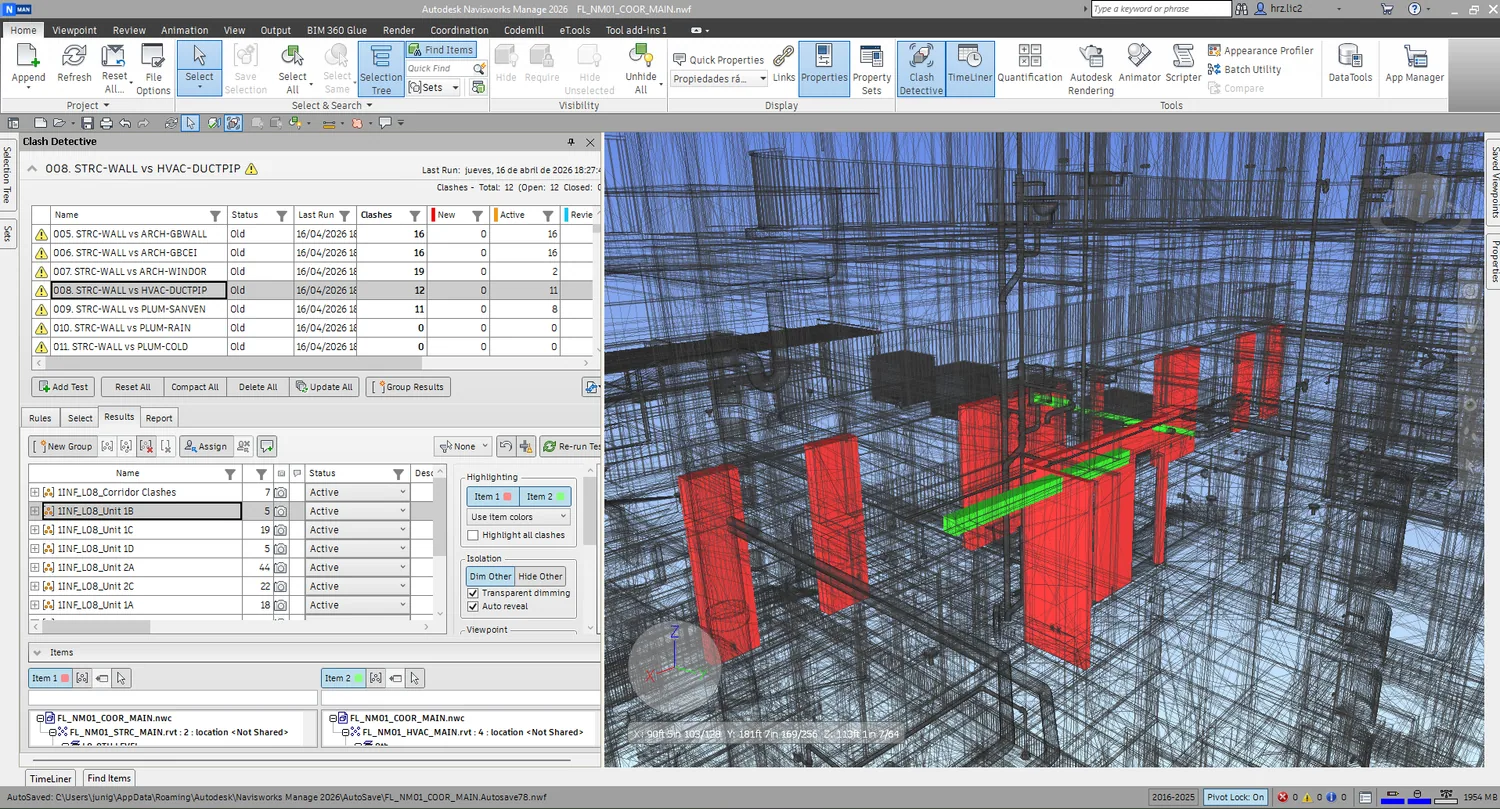
Coordination QA review
Model review outputs are checked against issue status and coordination context.
QANavisworksIssues
Custom tools for repetitive BIM work
Reduce repetitive tasks with Revit routines and custom tools.
Typical deliverables - Dynamo scripts and workflow automation
- pyRevit tools and custom commands
View service Practical AI workflows for AEC teams
Pilot AI in BIM workflows without losing technical control.
Typical deliverables - AI opportunity assessment for BIM and project controls
- Prompt and workflow design for technical teams
View service Roadmaps, systems, and adoption
Organize processes, data, and tools for practical adoption.
Typical deliverables - Current-state workflow assessment
- Digital roadmap and implementation plan
View service Visualization and Communication
Make design intent and project context easier to understand
For teams that need visual material for review, approval, sales, and stakeholder alignment.
-
01
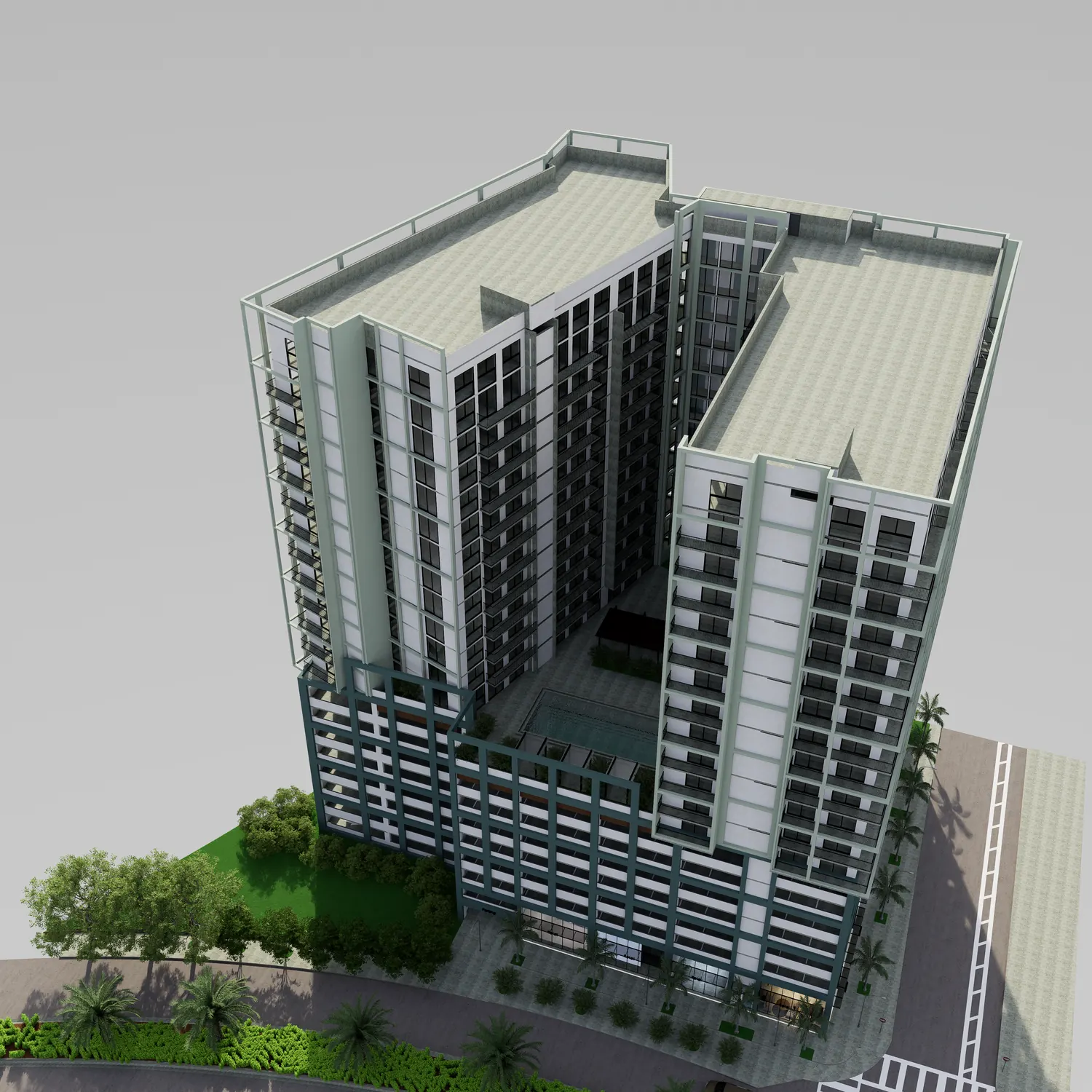
BIM model
Model context becomes the base for clear visuals.
RevitContextViews
-
02
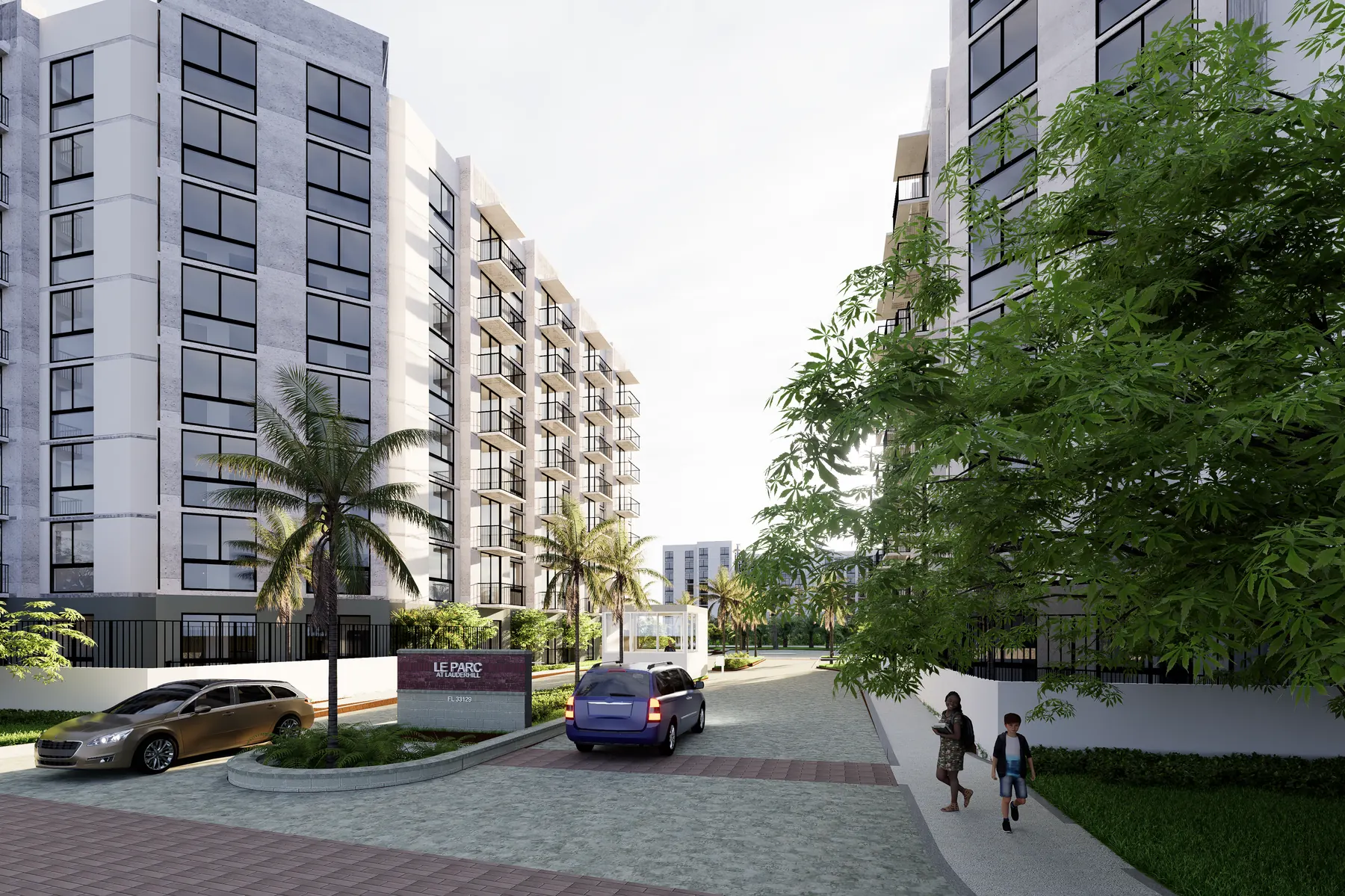
Materials
Materiality, lighting, and facade decisions are refined for review.
D5FacadeLighting
-
03
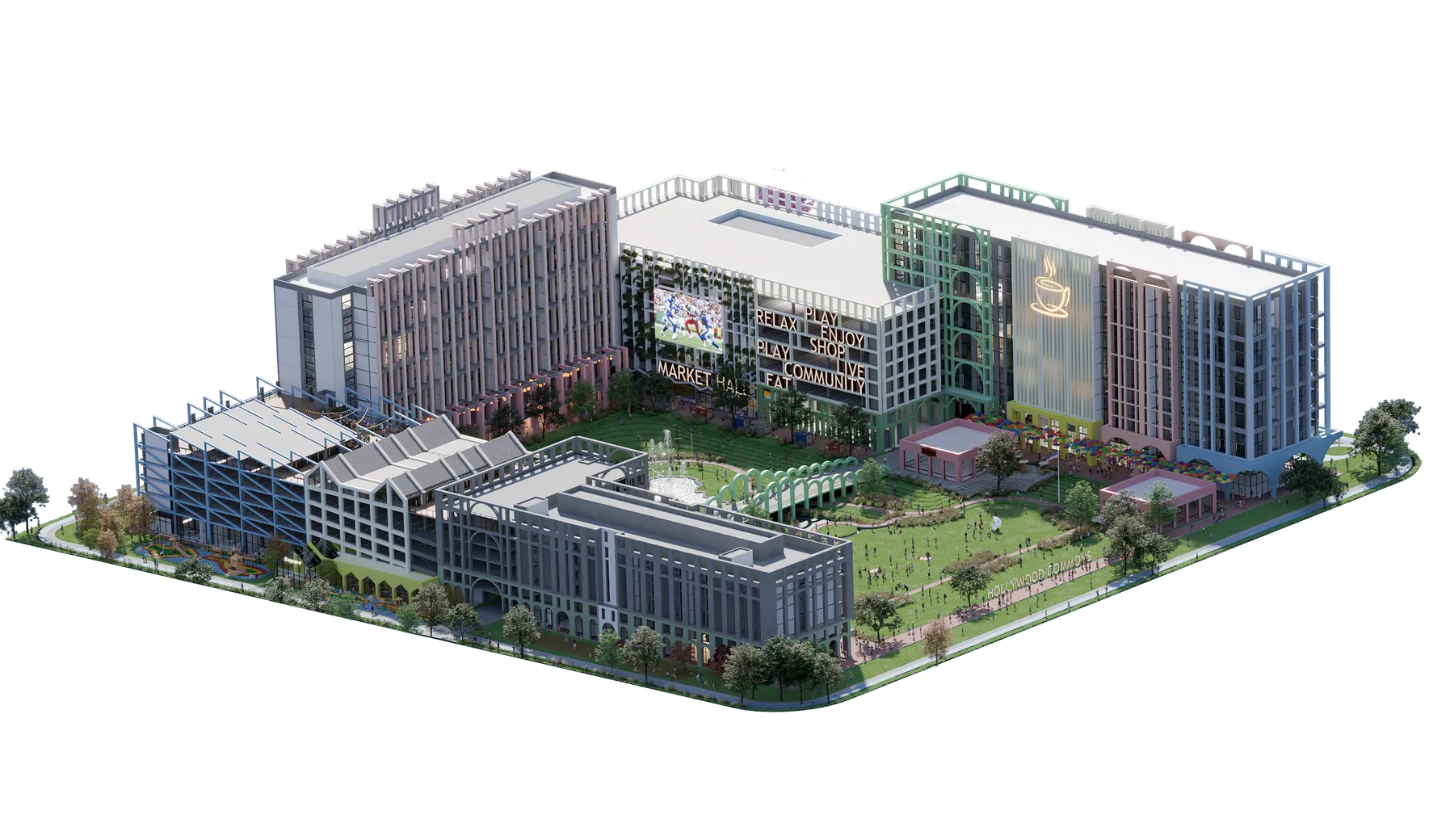
Camera views
Views are framed around design intent and decision points.
ScenesAnglesReview
-
04
Presentation visuals
Images support approval, sales, and project communication.
RenderReviewSales
Visual communication for decisions and sales
Communicate design, context, and decisions with clear visuals.
Typical deliverables - Exterior and interior still renderings
- Design option visualization
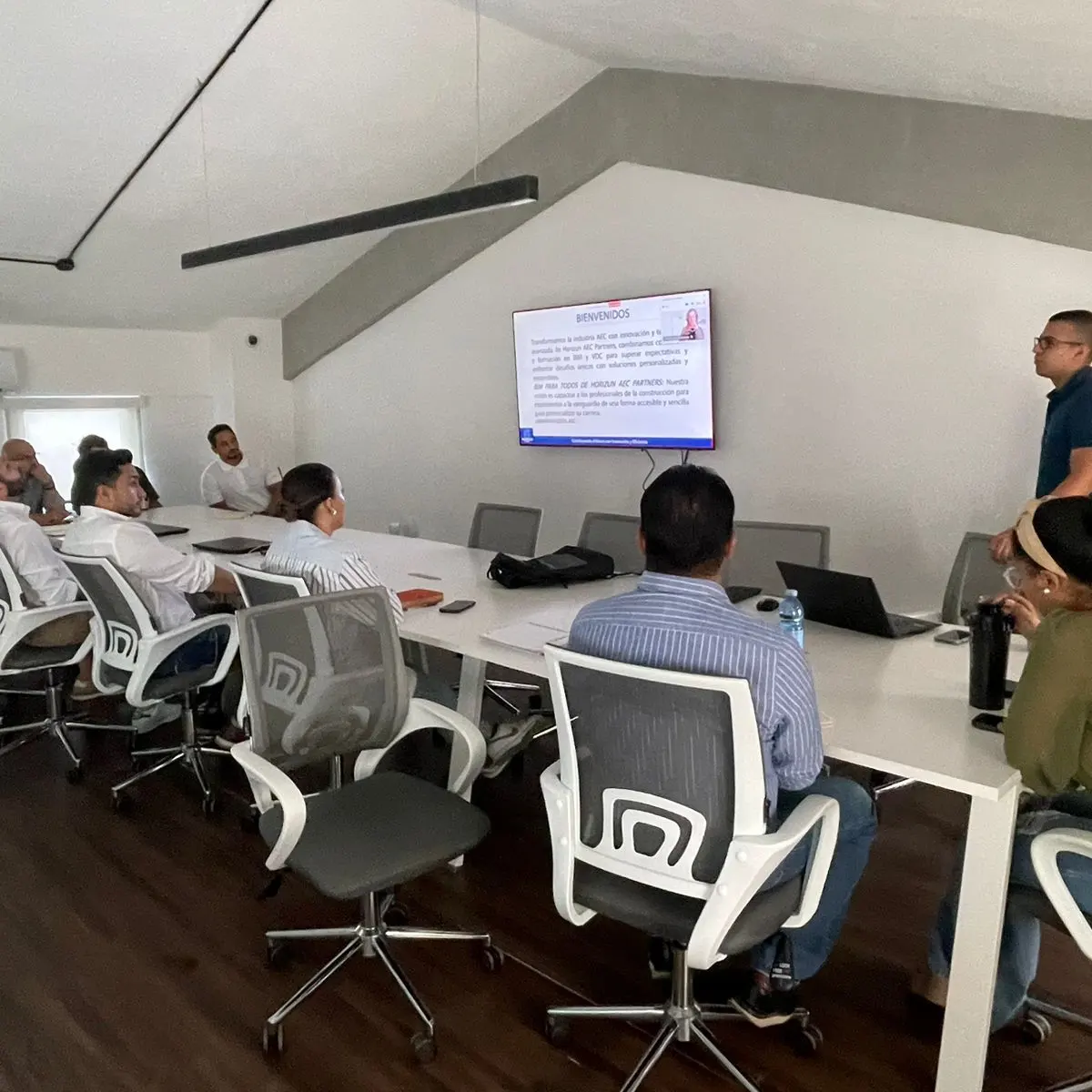
View service Workflow Adoption
Make BIM-data workflows easier to maintain
For AEC teams that need routines, documentation, and support around real workflows.
-
01
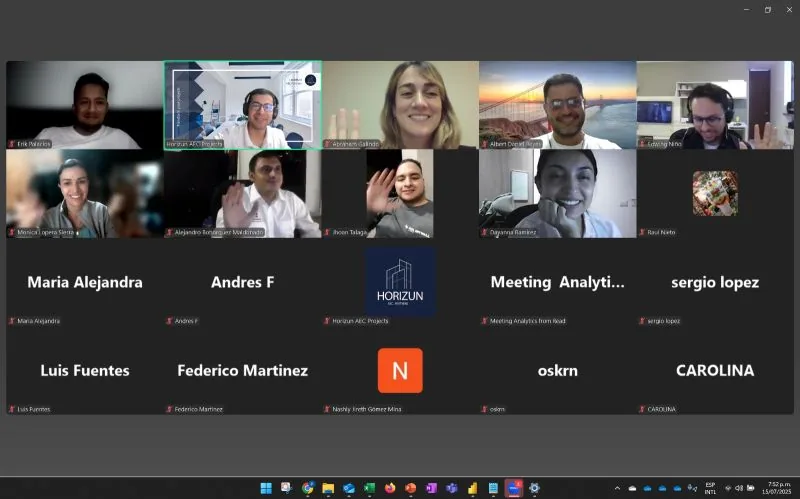
Live technical sessions
Power BIM and workflow adoption sessions for technical teams.
Power BIMTeamsTraining
-
02
Project review with teams
Technical review of visuals, model context, and delivery needs.
ReviewConsultingDelivery
-
03
Workflow reference material
Reports and dashboards become reusable references for team adoption.
DashboardsDocumentationHandoff
Power BIM, BIM Para Todos, and corporate enablement
Enable teams on applied BIM, data, and automation workflows.
Typical deliverables - Workflow enablement sessions
- Power BIM support for 4D/5D simulations and dashboards
View service Connected delivery
Most engagements combine more than one service line.
A dashboard may require BIM data standards. Coordination may need issue reporting. Services are modular, but the workflow is connected.
Technical stack
Tools used to connect BIM execution with project control.
BIM and coordination
RevitNavisworksACC / BIM 360IFCSpeckle
Data and reporting
Power BIPower QueryDAXExcelSharePoint
Automation
DynamopyRevitRevit APIAPIsData extraction
Adoption
Power BIMBIM Para TodosAI workflowsEnablementDocumentation
Next step Bring BIM, data, and project controls into one practical delivery plan.
Share your project context, current systems, and the decision you need to support. We will respond with a focused conversation, not a generic sales script.